

BeatBox VR

Experience your greatest drumming fantasy.
We aim to develop a portable and entertaining VR drum, allowing you to enjoy a rock concert anytime, anywhere.
Link Demo

Overview
This VR project was developed during a Master's course at Goldsmiths. The aim was to create a variety of codes to implement a rhythm game, resulting in a comprehensive project that encompasses a lot, including graphical elements and sound impact.

Why use Virtual Reality?
1. Environment Shifting easily
2. Learning Efficient
3. Use Visuals Unavailable in Reality
4. Portability

About team members
Team of Beatbox VR
Hwanjoon Jang(Me) - Programmer (Prototyper), UI Design, QA
Joshua.J.Davies - (Programmer, Audio, and interaction designer)
Nathan Thomas - Benke - (Sound Designer, Programmer, UI)
Jake Boulton - (UI/UX Design, 3D Artist)
Mai Ye - (VFX Artist, Programmer)

Concept
of the Project
Introducing Beatbox VR, a virtual reality drumming game that balances realism and customization. Its user-friendly Settings UI lets you adjust music and drum sounds to suit your preferences. You can also toggle Lucid Mode, haptic feedback, and animations to fine-tune your gameplay.
At the core of Beatbox VR is its Sound Manager, replicating the unique tones of a real drum set. From the deep resonance of toms to the crisp splash of cymbals, each sound is designed for a realistic experience.
Beatbox VR offers four play modes: Free Mode for casual drumming, Tutorial Mode for skill-building, Play-along Mode for playing with your favorite songs, and Play Mode for rhythm-based challenges. These modes cover a wide range of player styles and skill levels, providing a complete drumming experience in VR.
- Implemented with Unity Software
- Developed with Meta Quest 2&3
Features
01.
Customized drum
experience
02.
Drum Animation
Splash VFX
03.
Multiple Scenes
04.
Four different Types of Game Mode
05.
Authentic Sounds
User Journey
01
Free Mode
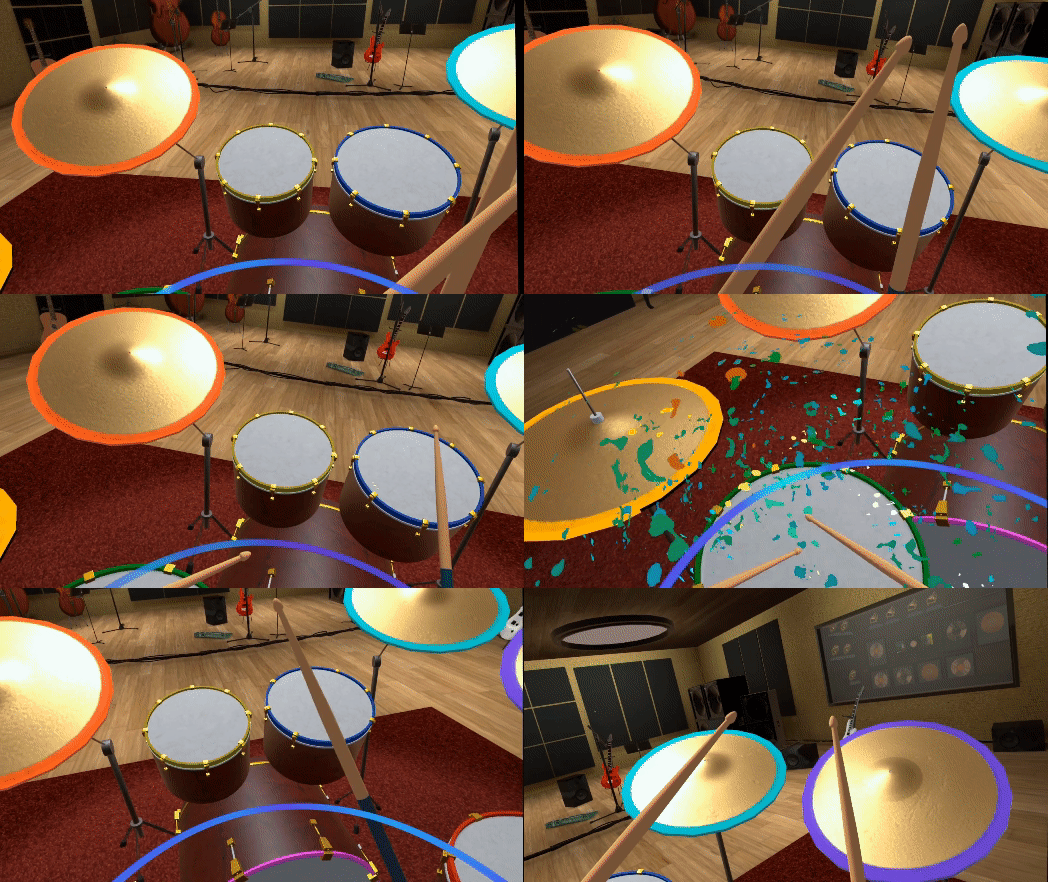
Free Mode allows you to freely experience drumming without any constraints. It's the perfect choice for those moments when you want to play the drums and relax, following your own rhythm.
02
Tutorial Mode
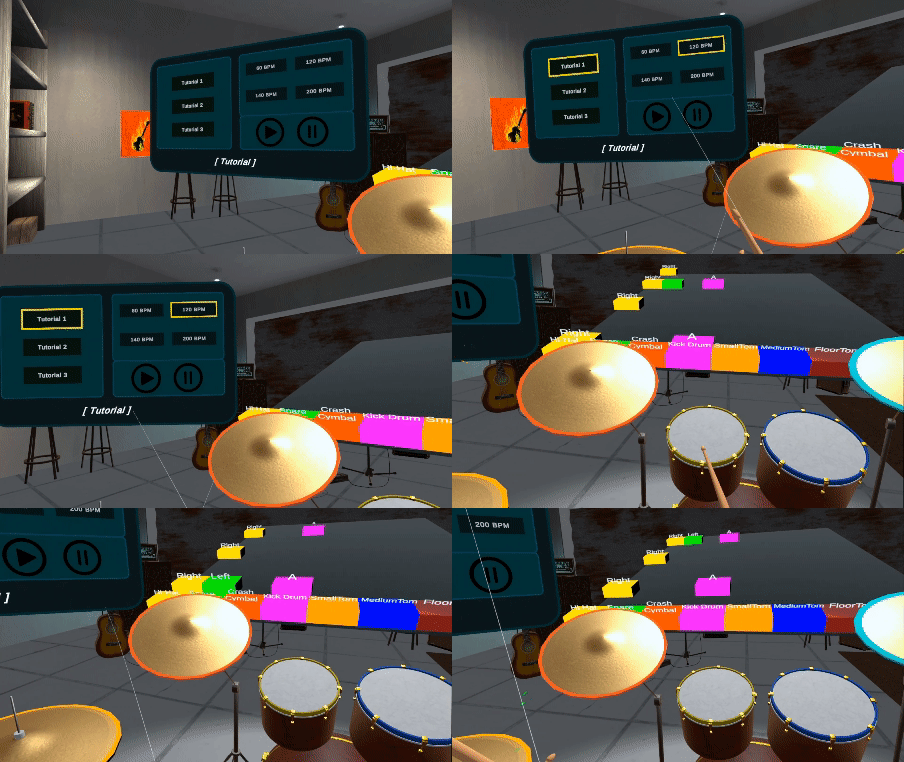
Tutorial Mode is ideal for experiencing a variety of beats at different BPMs. Whether you're a beginner or a seasoned player, this mode provides the perfect opportunity to practice and improve your skills at your own pace.
03
Play-along Mode
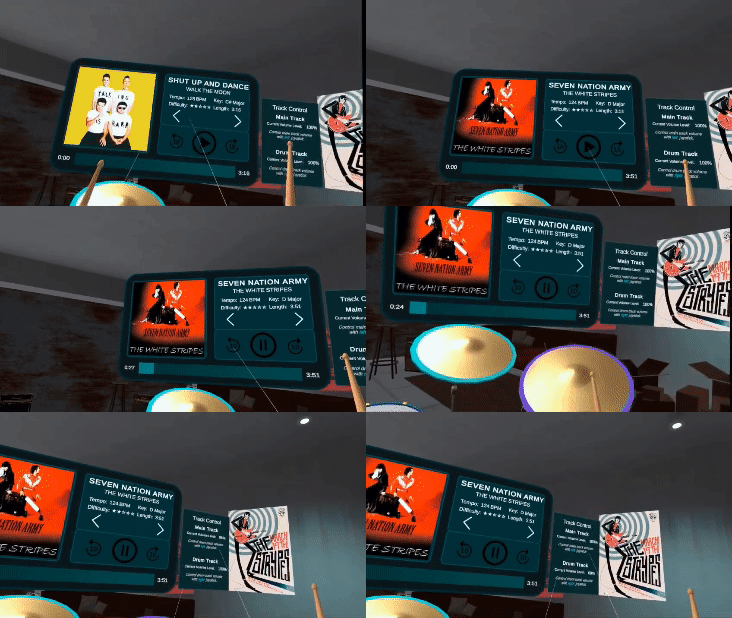
Playalong Mode lets you play drums along with your favorite songs. Drumming to the music, you'll feel like a part of a real band, bringing an exciting and engaging experience.
04
Play Mode (Game)
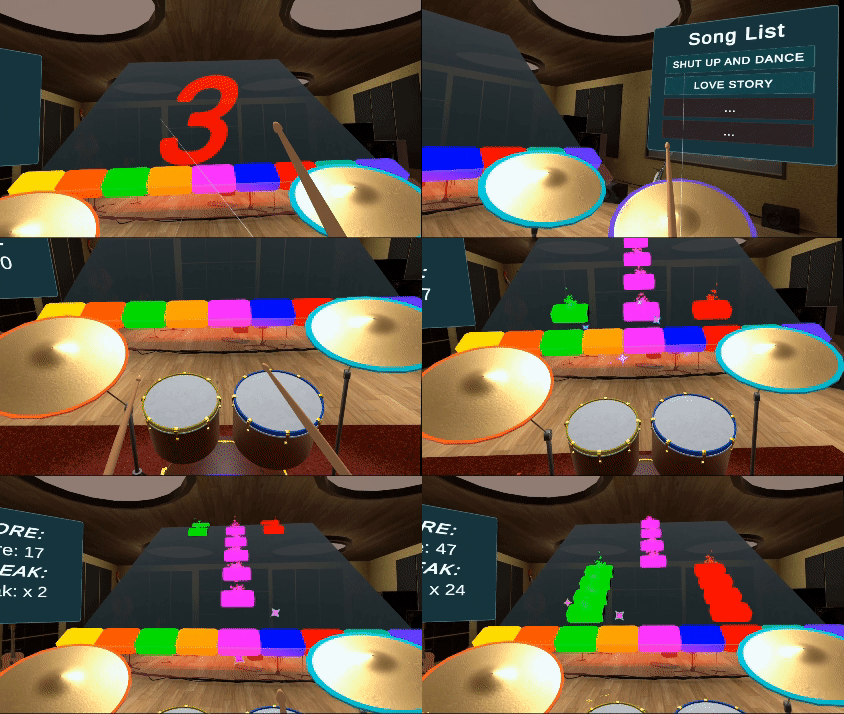
Play Mode offers a rhythm game where you hit notes that appear according to the drum beats of the song. This mode is suited for players who enjoy challenges, allowing them to test their rhythm skills as the difficulty level increases.

Timeline
01
Basic Drumkits Prototype [Week 1 - 2]
Created a basic form of drum objects (a total of 9 separate drum pieces) simply, so that when hit with drumsticks, sound is produced through the activation of colliders. Each drum was designed to produce a distinct sound, and I adjusted the system to generate simple particles whenever the drums were struck.


02
Drumkits with VR Environment [Week 3 - 4]
Crafted drums resembling real ones and additionally created a VR space for performing the drums. The kick drum and hi-hat were designed to be interacted with via the controller's buttons. I also implemented variations in particles based on the intensity of the drum hits.
03
Game Modes [Week 5 - 6]
Created various types of drum kits and added two more virtual environments. Incorporated a Free Mode, Tutorial Mode, Play-Along Mode, and Play Mode to allow users to experience different types of music and fun.
In Tutorial Mode and Play Mode, notes are generated according to the beat, and the player must match these notes to the correct rhythm. A particle system was also added to the note cubes. In Play Mode, a midi-game for a specific song was created through a timeline system.

Milestones

Main UI
In this project, the main features include sound settings, drum settings, background settings, and game mode selection. Players can customize according to their preferences and are provided with a variety of game forms to enjoy.
1
Sound Settings
2
VFX Settings
3
Controls

4
Background Customization
5
Drum Customization
6
Game Modes

Contributions

Prototype of Drumkit
I created a drum prototype using mesh colliders for the drum and sphere colliders for the drumsticks. Although the drum I made wasn't used in the project, it functioned well within the Unity VR environment.

Prototype of
UI/UX Design
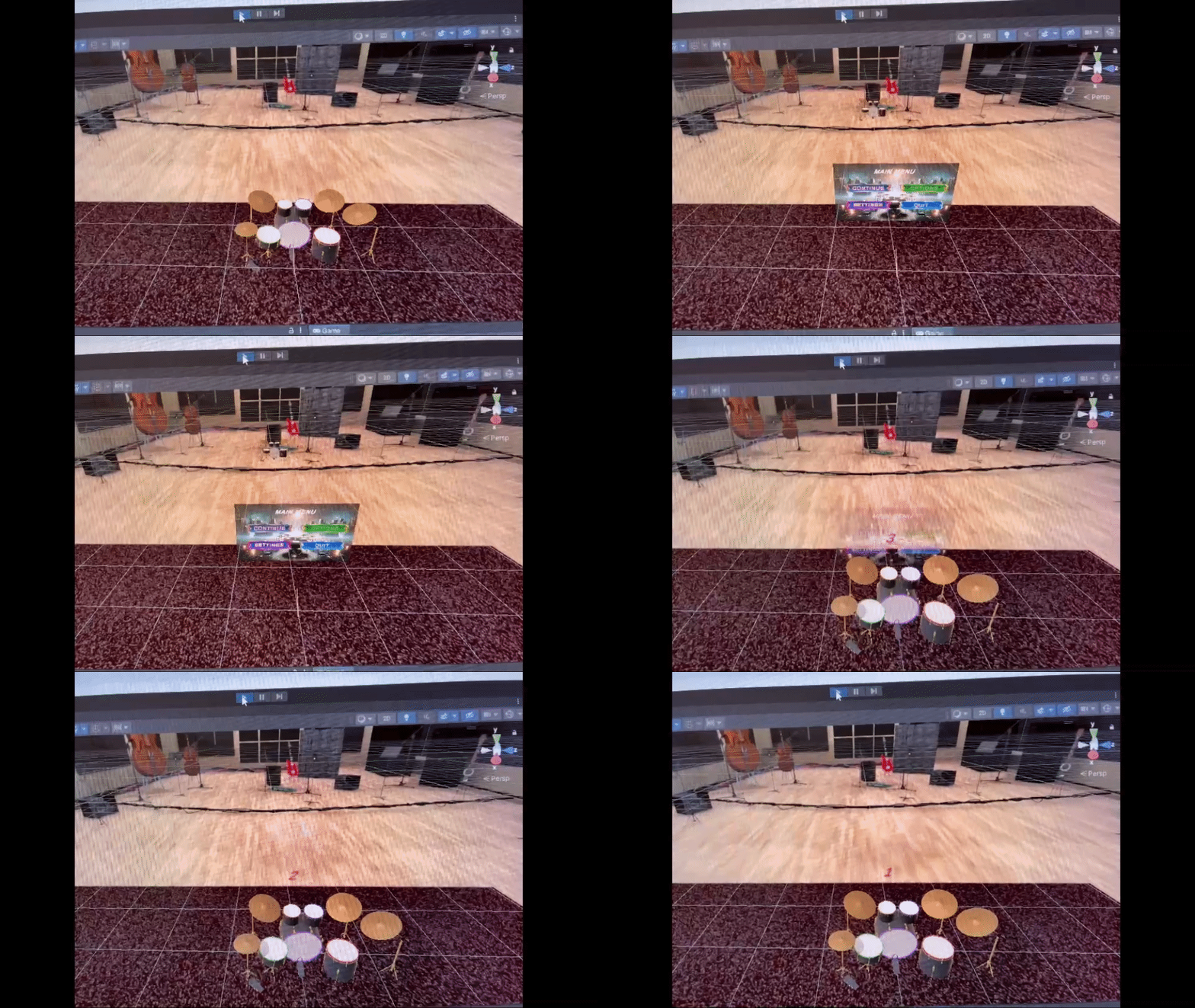
I organized an initial UI layout. The main menu is in the center, with sound settings to the left and options to select the background and drums to the right. Ultimately, this concept was refined into a cleaner design. I also added a feature that allows the game to be paused momentarily with a countdown upon pressing the menu button.
Related Codes


Tutorial Mode
After completing the interaction between the drums and drumsticks, I created a tutorial mode for those who are not familiar with drums. In this tutorial mode, users can practice with three types of tutorials and set four different kinds of BPM. I also developed a note spawning logic that will be used in the future Play Mode.
I set the code to ensure that the notes move at a consistent pace using 'iTween' during their generation.
Related Codes


Play Mode with Timeline
Play Mode was built on the foundation of Tutorial Mode, utilizing the Object Spawning logic I used when creating the latter. The setup is designed such that when the pre-spawned cubes at the bottom of the panel collide with newly generated cubes, the score increases. I also contributed to writing the timeline notes for each song used in Play Mode.


Walkthrough Video
Reflections
Do you feel you met the initial goal of your project?
Creating the drum turned out much better than I anticipated. Our group's goal was to make drumming more accessible to those who might find it challenging to own a real drum set, providing an enjoyable drumming experience at home without taking up much space. While the colliders on the drums and drumsticks tend to pause the sound briefly when they rapidly collide multiple times, we were satisfied with the audio output because this behavior also occurs with real drums.
As for the game modes, we aimed to create an exciting rhythm game similar to Beat Saber and Guitar Hero, which we achieved through four distinct versions of the game. In Play Mode, we tried to align the music's beats with the cube-spawning timing more accurately, but it wasn't perfect. This is something we can improve in the future with more refined timeline systems.
I am delighted with this project because I got to work with various code structures, gaining valuable experience in the process.
What was the most challenging part of your experience?
The most challenging aspect of this project was ensuring that the score cubes generated correctly according to the BPM. If they didn't align with the correct beats, the rhythm game would lose its purpose for the players. Additionally, we had to align the start points of the music with the cube spawning, which sometimes required adjustments when the speed of the applied music was faster or slower than expected.
One of the most crucial components in drumming is the kick drum, but VR device often struggles to detect foot movements. We replaced this with a controller button, which impacted the user's experience. To address this, we created a Tutorial Mode, which became one of the solutions to our game's challenges.
Share your gift with the world. Who knows how many lives you are saving just by doing so.